Embedded Posts

J.Gong
2026-05-31
1.59min
Embedded Posts
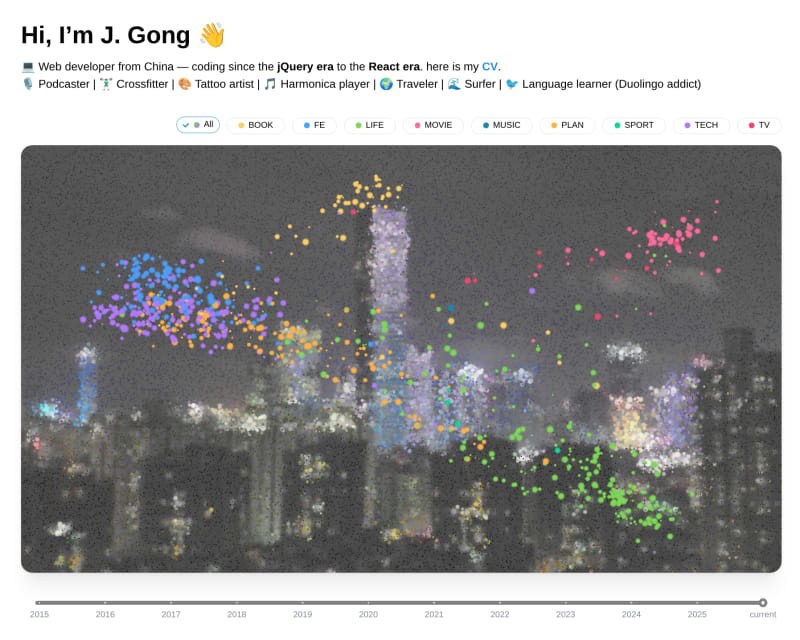
I just updated my website. Now on the index page, you can see an interactive particle effect that shows all the posts and podcasts I have published.
This idea is from Anand S’embedding map, where the steps are using the embedding LLMs to generate embeddings for each post. And then use UMAP to reduce the dimensionality of the embeddings into 2D space. And after that, I found an interactive particle effect can be used as a visual background for the scatter plots.
The solution is simple, however, the implementation is not as straightforward.
Firstly, the embedding, I tried to use the OpenAI sdk to call LM Studio’s API, that was not working. Then I tried to use LM Studio’s python SDK to call the model and then put the result into std.output, packages/embedding. I used Qwen3 0.6b to generate the embeddings as it supports 100 languages. And can run locally.
handle = lms.embedding_model("text-embedding-qwen3-embedding-0.6b")
result = handle.embed(normalizedContent)
Then in the packages/post-embedding, use childprocess to call the embedding model through stdio, this package returns the embedding array, which is an 1024-dimensional vector.
import { spawn } from "node:child_process";
const child = spawn(
  uvBin,
  ["run", "--package", "embedding", "embed-text", "-", "--model", model],
  {
    cwd: repoRoot,
    stdio: ["pipe", "pipe", "pipe"],
  },
);
The two packages, packages/content-prepare and packages/fetch-podcast, they are the packages to save all the content into database. As the site is a static site, the contents are saved as json files. The two packages call the post-embedding package to save the embedding vector for each post. The posts are sanitized before embedding, I removed the image links into alt packages/utils/md2txt.ts. And combine them into a single string with “Title:|Series: |Tags: |City: ”, it is Template-based Concatenation.
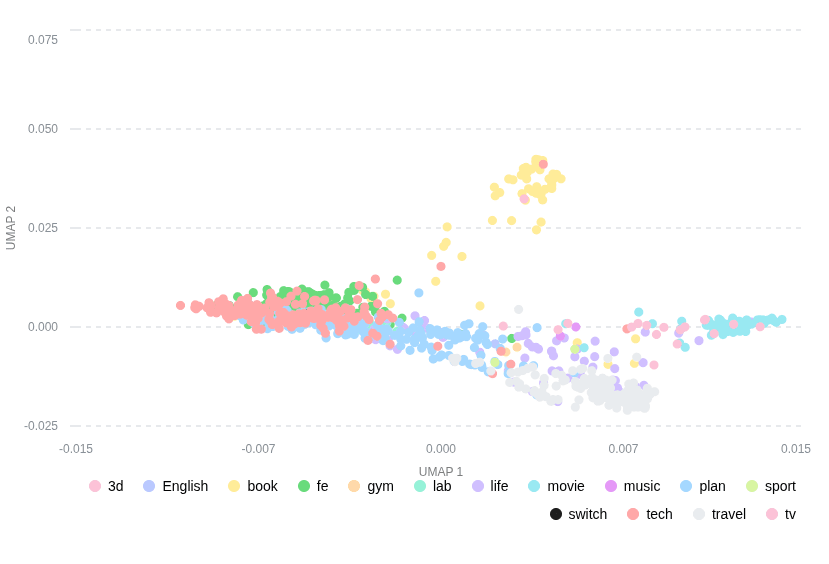
Tried working with stdio for multi-language packages, I decided to use rust to make the packages/umap package. It accepts all the embedding vectors and returns an UMAP(Uniform Manifold Approximation and Projection). Every time I run this package, it will remap all the 2D space.
Then, it is easy to use mantine’s Chart to see the UMAP scatter chart.
Okay, the frontend packages/particle-hero. renders the following layer:
- background layer, a low contrast background
- particle layer, with noise.glsl shader
- particle layer, with UMAP scatter chart
- Raycasting layer, show cursor trail
The raycasting layer catches the position of the cursor on the UMAP scatter chart, and calculate the nearest point on the UMAP manifold. Then call the API to fetch the post metadata to display a tooltip.
In the packages/particle-hero, while there is a debounced listener that collects the most recent tooltips and fetches the post metadata base the id.