
J.Gong
2025-06-06
0.91min
Neon Night: My Knytt Level
Remember when I talked about Knytt Stories in my blog? 🤔 It’s this amazing platformer game with a built-in level editor that lets you create your own adventures. The only downside? It was Windows-only… until now!
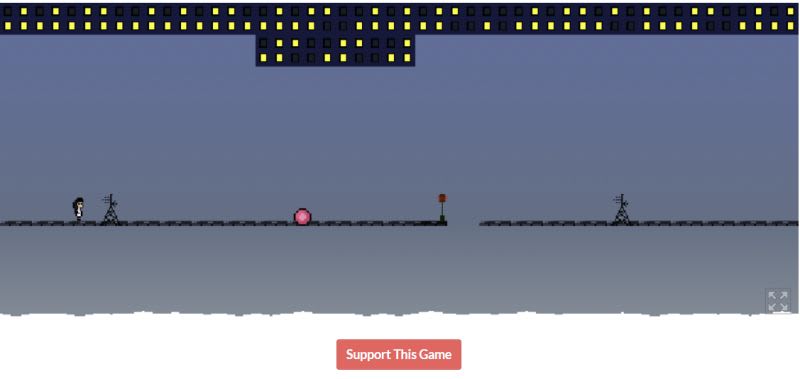
Enter YKnytt 🚀 - a brilliant rewrite built in Godot that brings Knytt Stories to the web and beyond! This means you can finally play those atmospheric platforming levels in your browser, no matter what OS you’re using.
Getting My Level In The Game ✨
I decided to test things out by adding my own level, Neon Night, to YKnytt. Good news - everything worked perfectly! 🎉 The integration was surprisingly smooth.
If you’re curious about how levels are loaded, it’s pretty straightforward. The default levels are hardcoded in /knytt/ui/LevelSelection.cs:
private void loadDefaultWorlds()
{
    binLoad("res://knytt/worlds/Nifflas - The Machine.knytt.bin");
    binLoad("res://knytt/worlds/Nifflas - Gustav's Daughter.knytt.bin");
    binLoad("res://knytt/worlds/Nifflas - Sky Flowerz.knytt.bin");
    binLoad("res://knytt/worlds/Nifflas - An Underwater Adventure.knytt.bin");
    binLoad("res://knytt/worlds/Nifflas - This Level is Unfinished.knytt.bin");
    binLoad(OS.GetName() == "HTML5" ? MainMenu.WEB_TUTORIAL_PATH :
            TouchSettings.EnablePanel ? MainMenu.TOUCH_TUTORIAL_PATH : MainMenu.TUTORIAL_PATH);
}
Pro Tip for Developers 💡
When you’re ready to export your project, don’t forget to include the worlds folder in your export settings! This is crucial - without it, your levels won’t be accessible in the final build. Trust me, it’s one of those “learn it the hard way” moments 😅
YKnytt is a fantastic example of how open-source rewrites can breathe new life into classic games while making them more accessible to modern audiences. The web build functionality alone opens up so many possibilities for sharing and playing custom levels!