J.Gong
2026-04-07
1.37min
🌍 GIS in Unity
Last year’s retrospective, I mentioned that I always wanted to learn GIS.
Early this year, I attended a workshop to learn QGIS. But I never have time to try by myself.
Cesium for Hong Kong
Hong Kong Lands Department provides open scaned data of the city.
The Setup
First, I needed the Cesium for Unity plugin. While Cesium offers a quick start tutorial, I actually ran into issues downloading the plugin through the standard installer. 😅 I ended up heading to the GitHub releases and installing it manually—which worked like a charm! 🛠️
Connecting the Data
Before rendering anything, you’ll need an API key from the Hong Kong Common Spatial Data Infrastructure (CSDI). Once you have that, look for your target data; I used the 3D Visualization Map API.
In Unity:
- Open the Cesium menu and create a Blank 3D Tile Tileset.
- In the Inspector, change the source to the CSDI URL.
- Update the coordinates to Latitude:
22.3193and Longitude:114.1694.
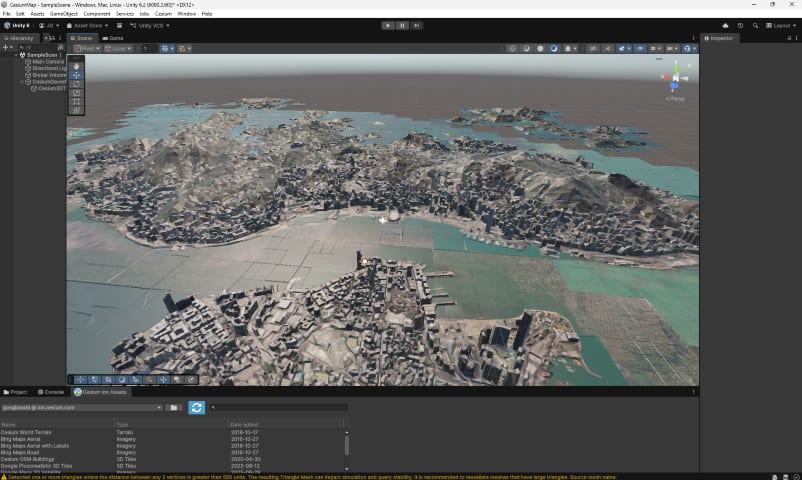
The data is massive, so it takes a moment to load, but the level of detail in the scan is impressively clear! 📸✨
🏰 ArcGIS for Tallinn
Finding the raw data for the Tallinn 3D map was a bit of a treasure hunt since the site is mostly in Estonian. 🇪🇪
However, because the site is built on ArcGIS Scene Viewer, I was able to snag the API endpoint directly from the browser’s DevTools. 🕵️♂️
The Setup
For this one, you’ll need the ArcGIS Maps SDK for Unity. Similar to Cesium, you’ll also need to generate an API key from the ArcGIS Developer portal. 🔑
Bringing Tallinn to Unity
- Create an ArcGIS Map component.
- Add a new layer using the Tallinn URL as the source.
- Set the layer type to ArcGIS 3D Object Scene Layer.
- Set the coordinates to Longitude:
24.7°and Latitude:59.4°.
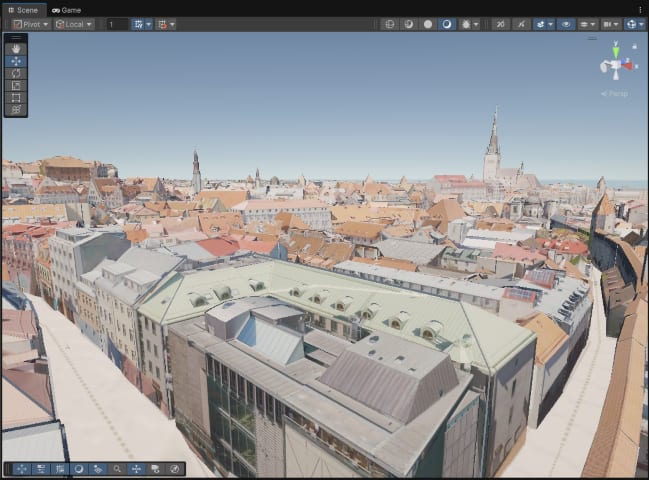
The city model is relatively lightweight (about 2GB), so it loads quite fluently. While the buildings look a bit like “paper crafts” (LoD2 quality) compared to the photogrammetry of HK, it’s more than enough to create some awesome game scenes! 🏗️🎨